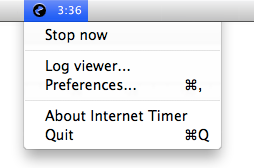
 I threw this utility app together last year, in order to keep track of our Internet usage on a time-limited account. This is a piece of software that lives quietly in your menubar, until an Internet connection is detected. Then, it will count how long you’ve been online, showing a timer in the menubar.
Features:
- Detects your Internet connection automatically, or you can start and stop the timer manually.
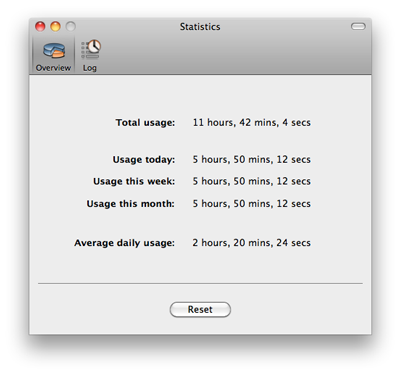
- Keep a log of your usage, including weekly, monthly, and all-time totals, and daily average, with the ability to reset these.
- Time in configurable blocks of time, if your carrier charges in blocks (e.g., 15 minutes)
Grab it here:
 Internet Timer
it downloaded, but i don’t see how to install this Internet Timer. Please help/!
It would be really handy to extract the info from the log file – for example to plot usage over time in a stats package. Is the log file stored in plain text any where?
Alternatively you could just make the log viewer screen copy/paste enabled in a future version.
Thanks for writing the app – very useful!