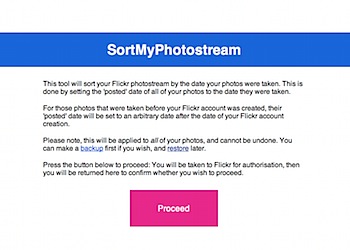
Flickr has a limitation that your photostream is ordered by the date you uploaded your photos, and this order can’t be changed. If you’ve done a big import of photos – say, from iPhoto – then they could show up in your photostream in any order.
There’s been some talk about the issue, with one suggested solution being to manually set the ‘posted’ date of every photo to the ‘taken’ date. A utility exists to do this, but it has some major limitations, including a difficult user interface and limitation that causes the process to fail if you have any photos that were taken before the date you set up your Flickr account.
So, I’ve made a utility specifically for sorting a Flickr photostream. It should be fairly user friendly, and provides the ability to backup and restore your photo metadata, in case you ever want to revert.
Check it out here: SortMyPhotostream
![]()
Leave a comment below if it’s useful to you.
Related posts
- Flickrpress: WordPress Flickr widget Flickrpress is a widget to display items from Flickr in...
- Keeping Flickr away from iPhoto How to edit iPhoto's back-end files to forcibly remove Flickr...
23 Comments
Hi Michael, Great idea! However don't seem to get it working though… :-( I'm keep getting this error message: Fatal error: Allowed memory size of 33554432 bytes exhausted (tried to allocate 35 bytes) in /home/tysonid/public_html/sortmyphotostream/apply.php on line 84 Any idea what this means? Thanks, Pepijn.
Great idea and we included it in our Flickr-related blog in German: http://flickrbuch.wordpress.com/2009/06/09/flickr-fotostream-automatisch-nach-aufnahmedatum-sortieren/
Looks great… downloaded the source and played around with it. I too was getting the memory error. Tracked it down to the limitation on flickr.photos.search api call of a max of 500 photos. I edited the call to limit based on tag – if I got a response that had more than 500 items in it, I'd run out of memory (no matter my PHP server settings). If I added the 'page' attribute and dropped the per_page to 499 it would work – but had to do it for each page. The following would work: 'page' => 2, 'per_page' => 499, but this did not: 'page' => 2, 'per_page' => 500, Using the API explorer (http://www.flickr.com/services/api/explore/) for that method it worked to get more than 500 back. I'm guessing it has something to do with the line: while ( count($result['photo']) == 500 ); Haven't had time to debug that yet. Great tool though and it's been fun "getting it working"!! Thanks for the code…..
Some other minor changes
Changed the apply.php to: <code>$date = $photo['datetaken'];
$unix_date = strtotime($date);</code>
Not sure why it comes back as datetaken when you 'pop' it as date_taken, but it does. Then need to convert the date to unix because the setDates function requires Unix timestamp. Still haven't worked out the > 500 issues, but doing it in chunks with min_taken_date and max_taken_date in conjunction with page tags. hope this is helpful….
Hi guys!
My bad about the memory issue – that should be fixed now (I'm processing 500 photos at a time now, which makes much more sense than loading them all, then processing)
Ken: That's interesting, why the addition of
strtotime? Was the API returning dates in string format, not timestamps any more?For some reason it was returning a string date – but didn’t know this until I trapped the error… Not sure if it’s new or my implementation of it. Also, forgot that I added the API_TOKEN to star ($flickr->setToken(API_TOKEN);) – for some reason it wasn’t allowing my auth through Flickr….
What was it that you changed for the memory issue? I upped my php settings to 128M and still ran out of memory… (in the config.inc.php, I added ini_set(‘memory_limit’, 128 * 1024 * 1024);)
I was being very silly and loaded a list of all photos first, then processed them afterwards. Now, instead, I just do 500 at a time =)
I tried your tool, but for some reason it set the upload date for every photo to January 22, 2006. There is clearly a date taken for all of the pictures (or 95% of them) that is more recent than that. Not sure what happened, not a huge deal, since it didn’t actually change the order they are in (still in the same order as before, just with a new date uploaded that is not what it used to be, and not the same as the date taken), but I wanted to let you know. My photostream is at: http://www.flickr.com/photos/sarahandadam/ Please let me know if there is anything else I can do to make the tool work for me! Thanks!
Hello, There’s a chance that I need to do some more careful date formatting when setting the posted date – Try now and let me know if it works!
I got an error trying to restore my back up file. Is there anything I can do?
same problem here. I got all my upload dates changed to april 2009.
thanks
GREAT!! THANKS A LOT!! (In Japanese, 2Bytes OK)
Tested and works for me! Many thanks! Do you mind that I intro this tool on a Chinese forum from Taiwan? link: http://www.mobile01.com/topicdetail.php?f=164&t=1266956&p=1#17714294#17714294
Not at all, Su, go ahead – glad it works for you!
Hi Michael, Thanks! There is one minor thing: I did not check further about the changed date posted after the process yesterday. Today I found the modified date posted are not as same as the date taken – they were changed to some time around 10/05/2009, while the date taken is 02/14/2010. Anyway the photostream sorted as I want, just let you know maybe you could do some further checking. See below two figures about what I am saying: http://flickr.com/gp/suweijack/0PRj7z
Hello Michael, thanks for the tool. Although I just tried it out and it changed the “date picture uploaded” to Sep 21, 2009 for all my photos. Also I made a backup before running the tool, but the restore script produces an “not enough arguments” error, so I can’t restore the metadata either.
The date taken wasn’t changed (which is good) as you can see in the archives page of my flickr account: http://www.flickr.com/photos/gtasioulis/archives/
Any idea of how I can fix that? Do you think I should re-run the script again (since the “date taken” metadata is fine) or could you give me a solution on how to make the restore function work so I can make everything look back to how it was before running the script?
Hi George,
Sorry to hear it’s not working properly for you; I’m really not sure what it could be, particularly given that it works properly for others – I’m yet to figure out what the factor is that breaks it for some people.
Do you get any more specific errors when you try to restore?
It should be useful change the order to a custom one sorting the thumbnails to the desired order…
Thanks Fabio – What kind of ordering do you think would be helpful?
Hi Michael, any special kind of ordering, but a ui like this: http://davidwalsh.name/dw-content/sort-save.php
Saving only changed photos will speed-up the saving process especially when the are many photos…
Thank you!! This is awesome!! Saved me a lot of time too! You rock! :)
Hey, as always this has been a time saver. I was just wondering if anyone came up with any solutions on the upload date. Mine always sets every photo to Feb. 2, 2010. Other than that it orders correctly.
That’s, as always, quite bizarre. You don’t, perchance, either have a photostream full of photos taken on that date, or possibly all taken before the date you subscribed to Flickr (if it’s that date)?