Circular (ring) buffer plus neat virtual memory mapping trick
I’ve just updated my C circular buffer implementation, adopting the trick originally proposed by Philip Howard and adapted to Darwin by Kurt Revis: A virtual copy of the buffer is inserted directly after the end of the buffer, so that you can write past the end of the buffer, but have your writes automatically wrapped around to the start — no need to manually implement buffer wrapping logic.
This dramatically simplifies the use of a circular buffer — you can use chunks of the buffer without any need to worry about where the wrap point is.
See the new implementation, which is thread-safe with one consumer and one producer, with no need for locks, making it perfect for use with high-priority Core Audio threads, on GitHub: TPCircularBuffer.
There’s a basic example of its use over on the original post.
Read More In the dim and distant past, while in a moment of neglecting my PhD to work on the very first version of
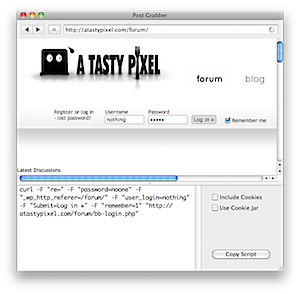 Every now and then I find myself needing to automate some web requests, either to download using something a little more robust than a web browser, scrape some web content, or to maintain a session. That automation can be a bit of a pain if there’s a form submission involved, because it means opening up the page source, finding the form and any connected javascript code, and figuring out what fields are submitted.