Using a VirtualBox VM to operate a network device for your Mac
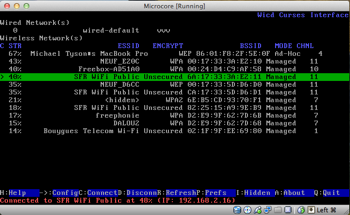 I recently wrote about our long-range USB WiFi antenna over on Technomadics, which is the nifty little device that we use to connect to the Internet while we’re travelling. It’s great, but — and it’s a kinda large but — the OS X driver (it’s an RTL8187) is just mind-blowingly appalling. It crashes very frequently, I can’t sleep my Mac at night without unplugging the device, and when I plug the device back in in the morning, nine times out of ten I need to reboot. Plus, I have to run the whole system in 32-bit mode because the driver is ancient. Realtek refuse to assist, so that’s that.
Three thousand reboots later, I decided enough was enough, and set about seeing if I could run a virtual machine with a small Linux installation which operated the card on behalf of my Mac, and shared the resulting Internet connection. It was a long learning curve, but I managed to get it all working quite satisfactorily, along with an Internet Sharing setup on my mac to share the connection onwards to other machines on the local network.
What’s more, the drivers I’m using under Linux — actually, they’re Windows XP drivers, running under the fantastic ndiswrapper utility — are brilliant, and I get much better signal strength, stability and throughput, to my great surprise.
If you’re in a similar situation, and either have a crappy driver to contend with, or no driver at all, or even just want a more solid firewall between you and the dangerous open WiFi world, here’re some instructions on how to get it set up, along with a virtual appliance I put together to make it all happen.
A warning in advance: This is Linux, so it aint for the faint of heart. If you’re not familiar with Linux, by all means give it a go, but be forewarned that if everything doesn’t work for you out-of-the-box, it is a steep learning curve.
Read More